Create business-ready templates
Standardize business updates, confirmations, reminders, and support messages without exposing Meta setup complexity to every user.
Create, sync, review, publish, and maintain WhatsApp templates from a single interface for approved reminders, updates, and re-engagement campaigns.
This capability turns common WhatsApp work into a repeatable process: fewer scattered messages, clearer handoffs, and better follow-up.
Standardize business updates, confirmations, reminders, and support messages without exposing Meta setup complexity to every user.
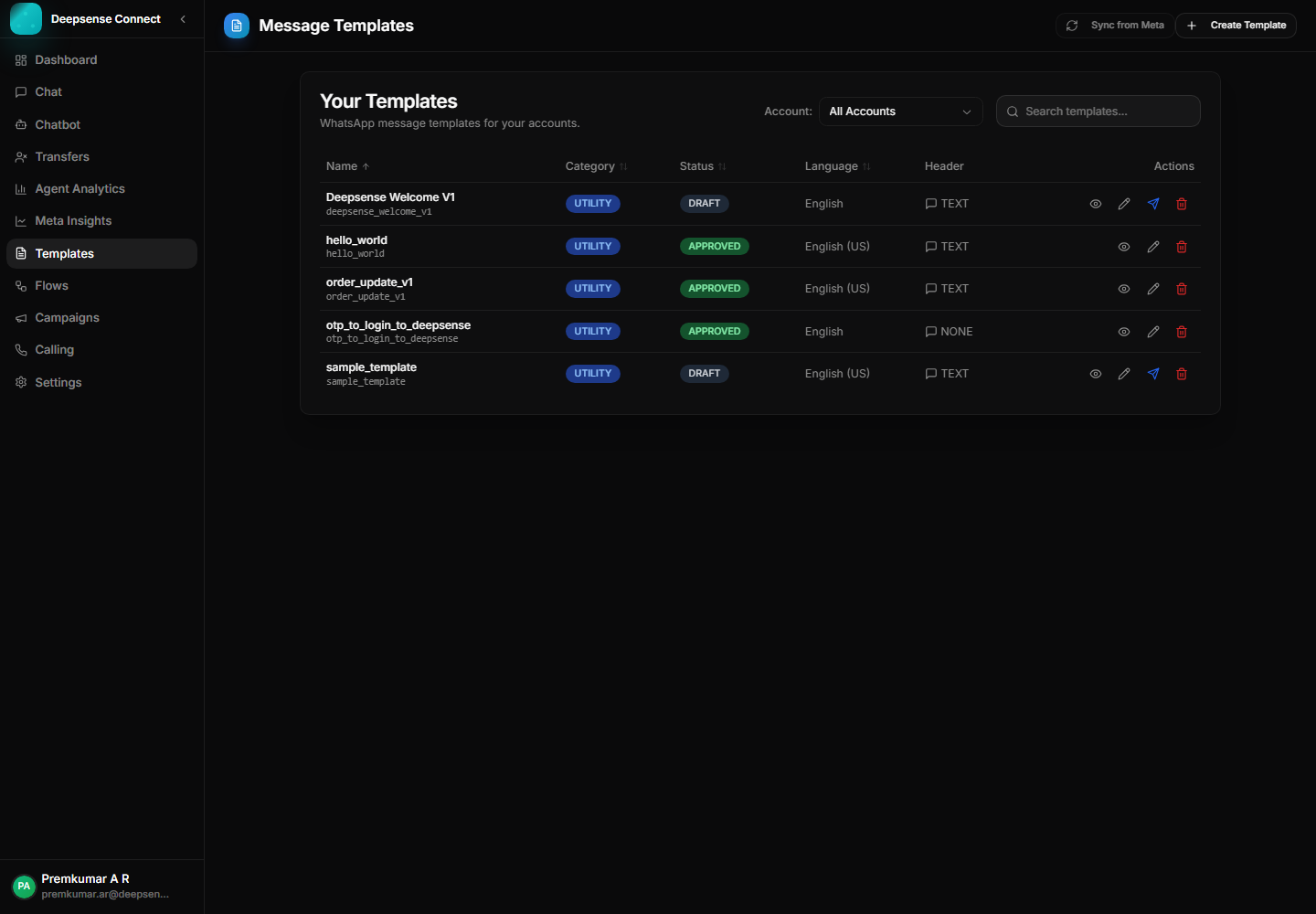
Show practical status, category, and language data so teams know which templates are ready to use.
Templates become shared assets for campaigns, chat replies, and operational workflows.
Example: Create an order update template with customer name and order ID variables.
Create a template with name, category, language, header, body, and optional footer.
Example: Create an order update template with customer name and order ID variables.
Check the preview and category before submitting.
Example: Confirm the message reads like a utility update before sending it for approval.
Submit the template to Meta for approval from the platform.
Example: Submit a payment reminder template and monitor its pending or approved state.
Apply approved templates in chat, campaigns, and customer journeys.
Example: Agents use the approved reminder template when a customer asks for payment status.
These examples show how the feature supports real customer conversations, internal workflows, and measurable business outcomes.
Send approved delivery, confirmation, payment, or appointment messages without manually rewriting them.
Use a reusable template for fee reminders, renewal alerts, service reminders, or scheduled callbacks.
Keep approved templates available for campaigns, inbox replies, and automation handoffs.
Review the workspace experience customers and internal users rely on for daily WhatsApp operations.
Template library with status, language, category, preview, edit, publish, and delete controls.
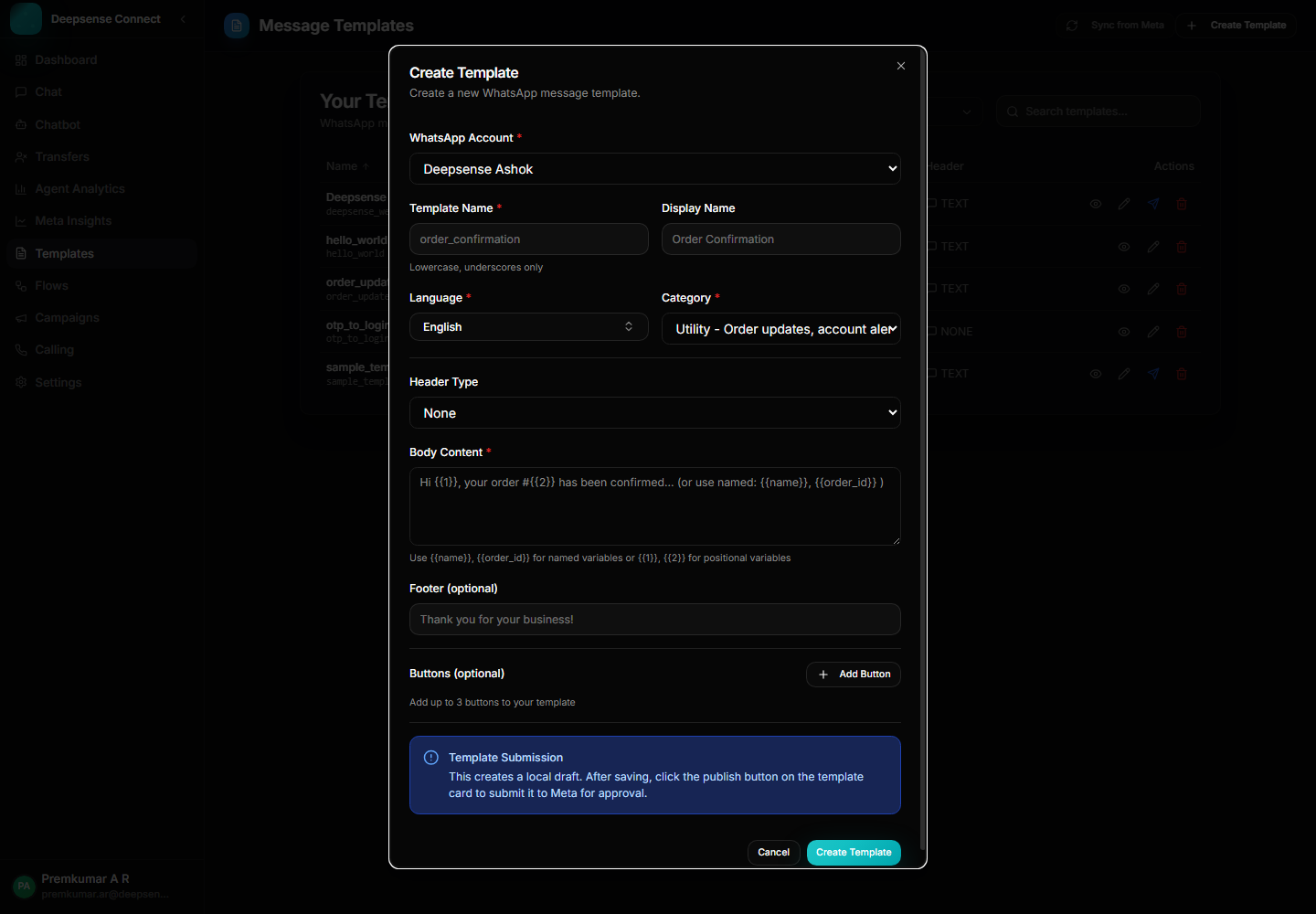
Template builder for headers, body content, categories, languages, and submission readiness.
Combine this capability with chatbot flows, shared inbox operations, approved templates, campaigns, account control, and analytics for a complete WhatsApp Business workflow.
These connected capabilities help businesses manage the full WhatsApp workflow from one place.
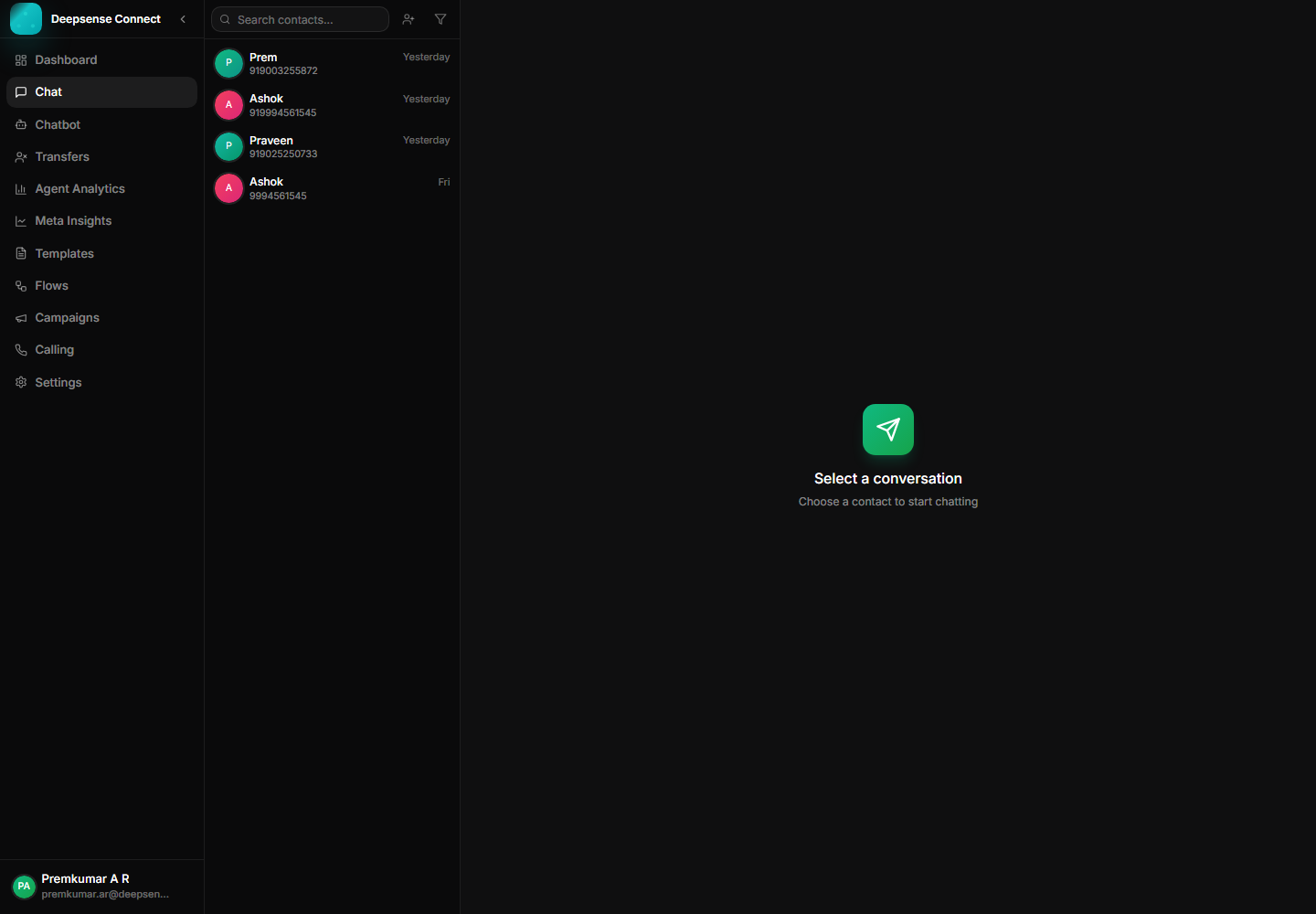
Manage customer messages, media, status ticks, assignments, and history from one workspace.
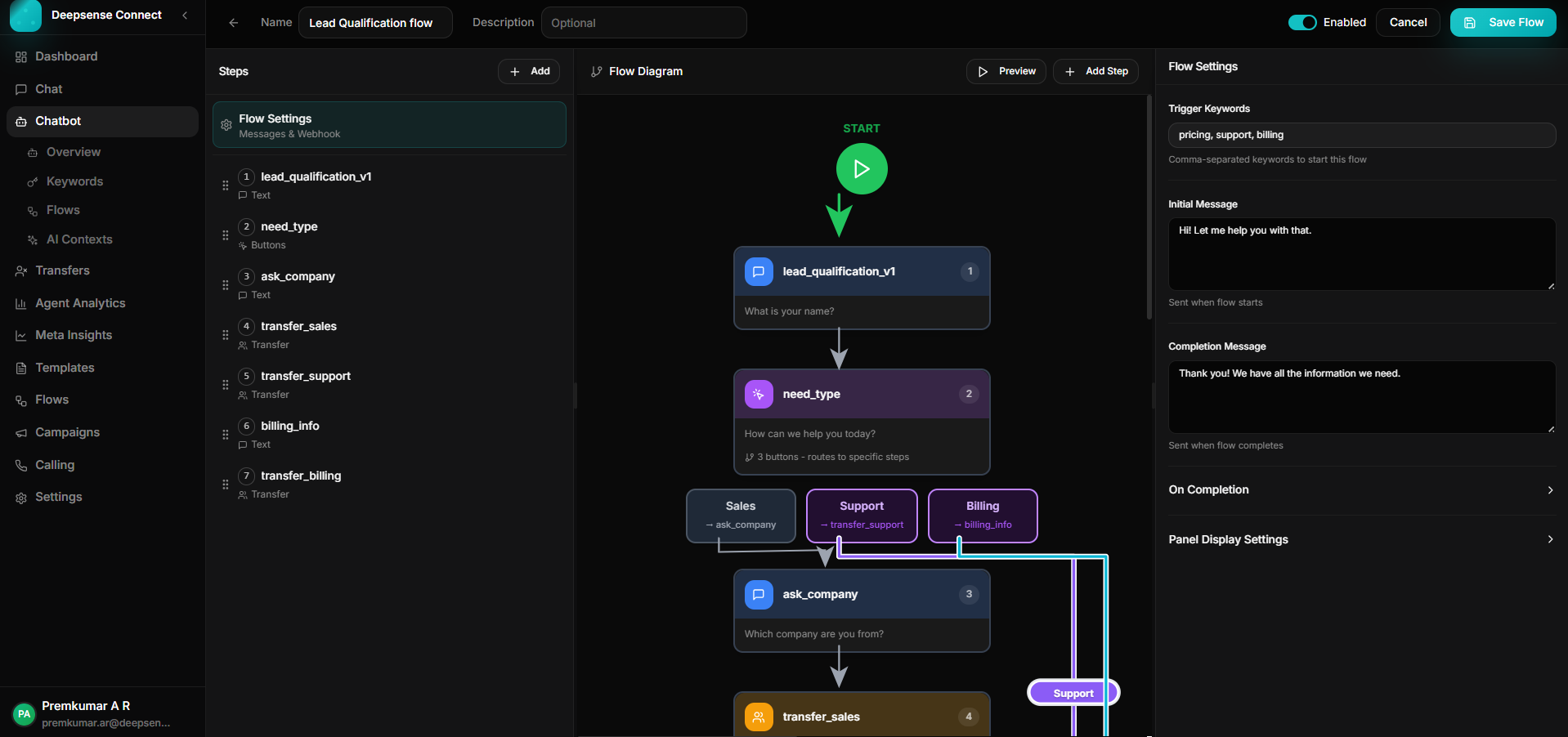
Build keyword-triggered journeys with branching, validation, API calls, forms, and human handoff.
Use approved templates to run campaigns, announcements, reminders, and follow-ups.